

Browser extension
Sign in without typing. Save without thinking.
The GrailVault extension fills your logins in one click and offers to save new ones as you sign in. It is built to be careful: it fills only on the right site, only when you click.
Fill
One click, the right login
Click the GrailVault key in a username or password box and pick a login. It never fills anything by itself, and it lists only the logins saved for the website you are on.
- Subdomains work: a login for
example.comis offered onlogin.example.com - Look-alike sites such as
examp1e.comget nothing - Suggests a strong password on sign-up forms
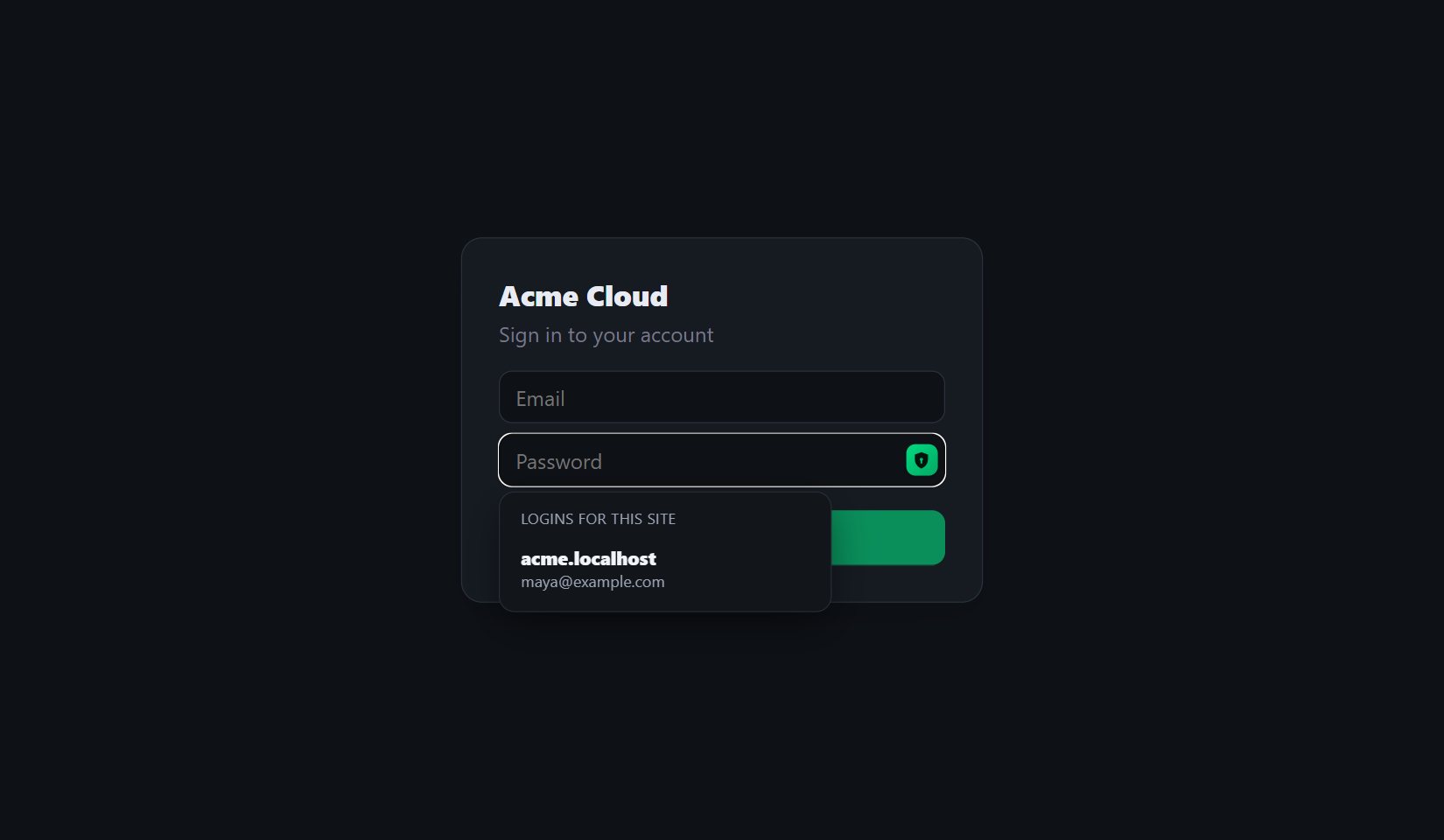
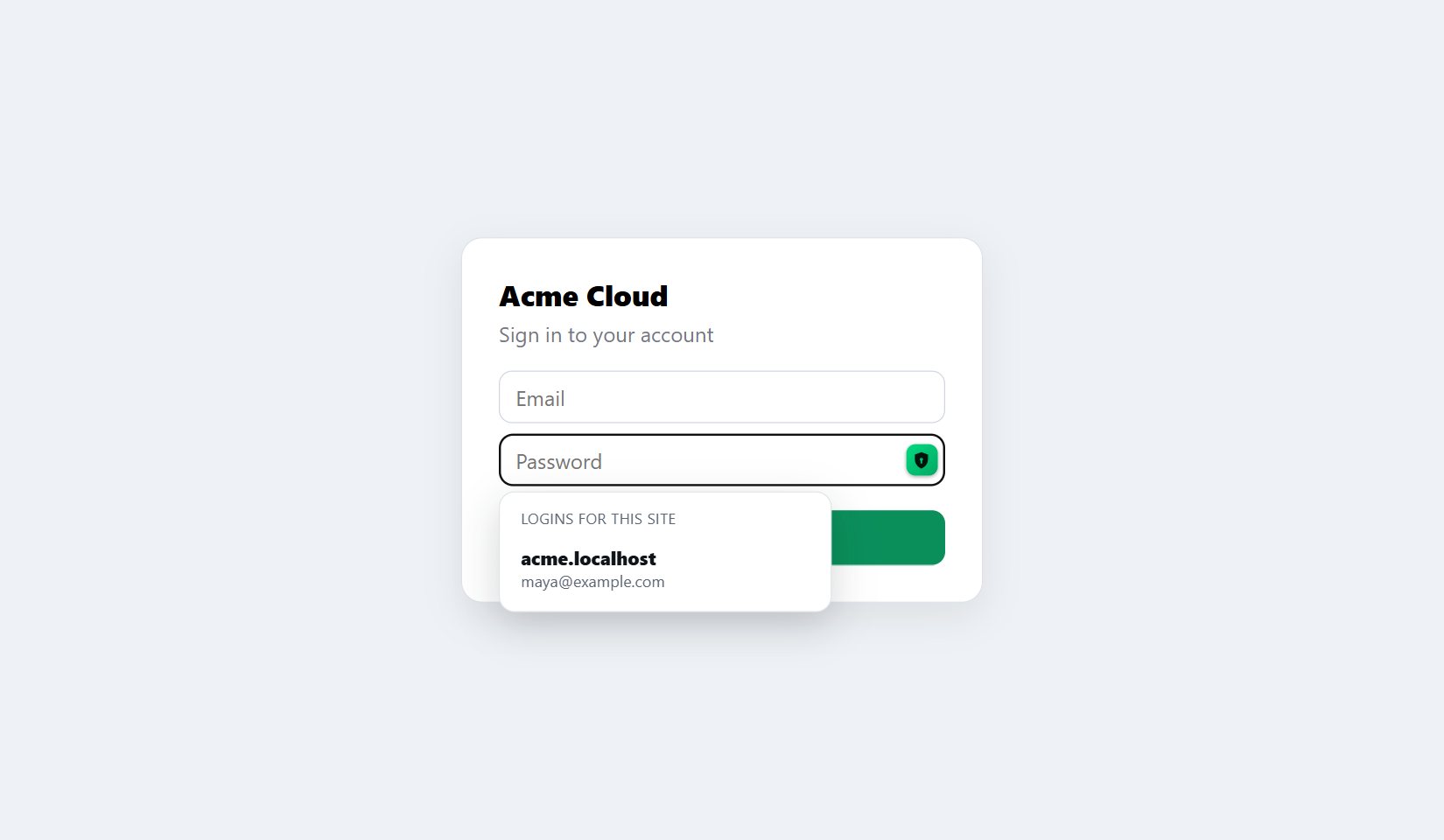
Save
It offers to save. You decide.
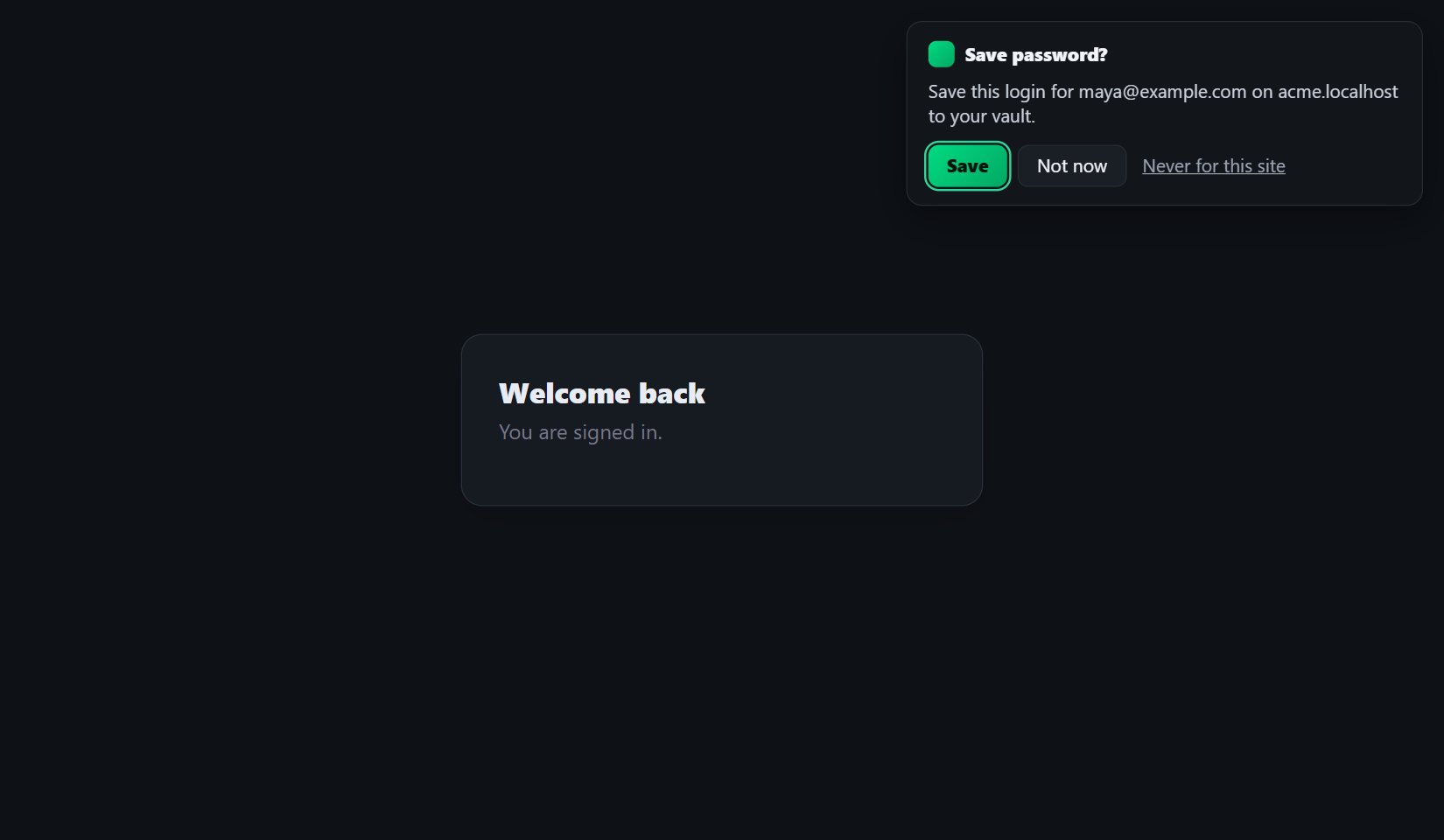
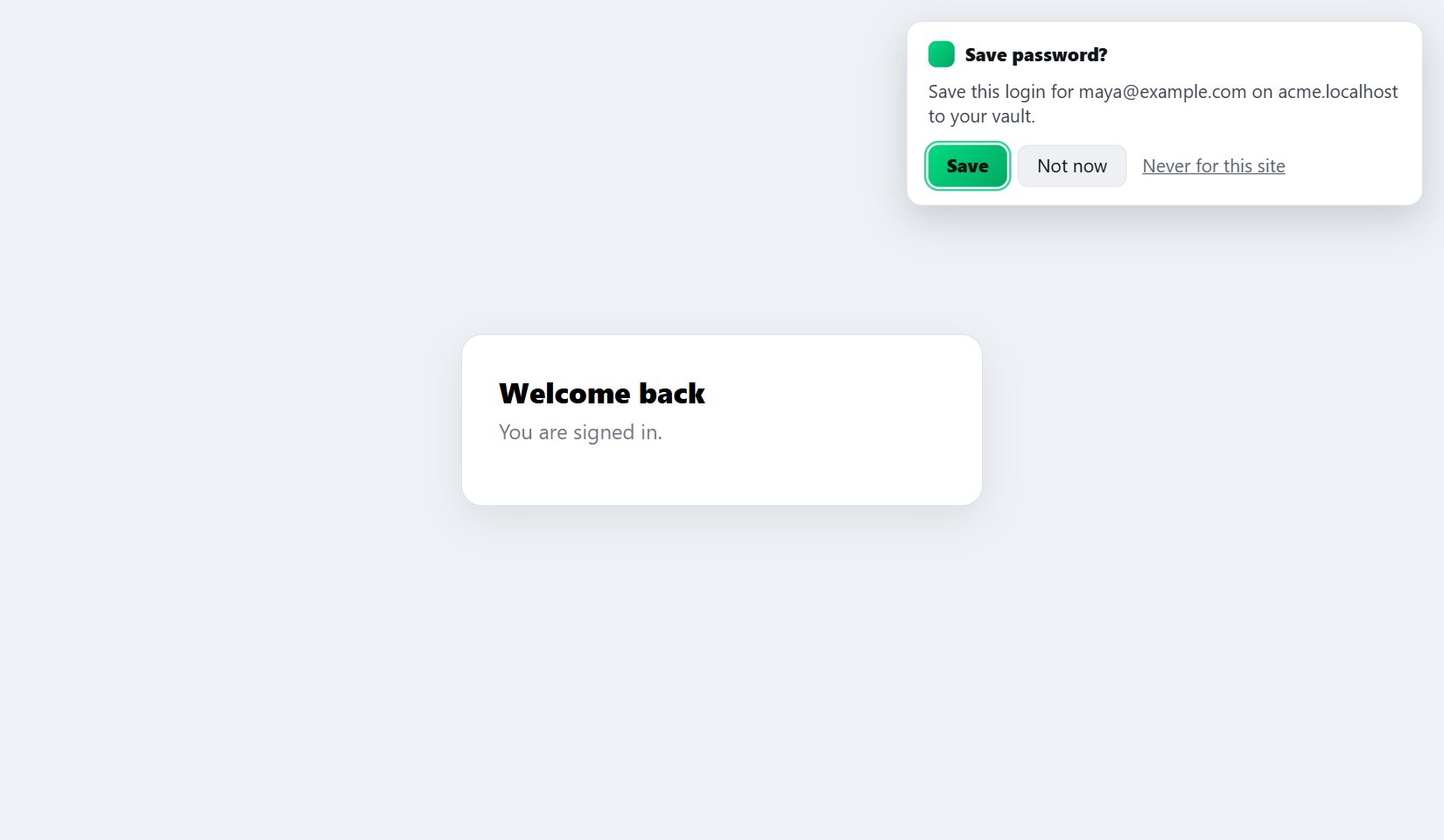
Sign in or sign up anywhere. When it works, GrailVault asks whether to save the login, or to update it if you changed your password. A failed sign-in is never offered for saving.
- Save, Not now, or Never for this site
- The login is encrypted before it leaves your browser
- It shows up in the website and on your other devices
How it keeps you safe
- Only on the right site. A login is offered on the website it was saved for and its subdomains, never on look-alikes.
- Only on secure pages. It will not fill a password on a page without https.
- Only when you click. A web page cannot trigger a fill, and it cannot read or restyle the extension's controls.
- Keys in memory only. They are never written to disk and are gone when you close the browser.
- Nothing else phones home. It talks only to GrailVault, with no analytics.
- You can sign it out. It is listed with your devices, and you can end it from any other device.
Availability
| Browser | Status |
|---|---|
| Microsoft Edge | Tested |
| Google Chrome, Brave, Opera | Same code as Edge |
| Firefox | Built, not yet tested |
| Safari | Not available yet |
| Phones and tablets | Not available. Use GrailVault in the phone's browser. |
Read the details in the safety and privacy guide, or see the limits for what is not covered yet.
Try it free for 14 days.
Everything is included, and no card is needed.